Disclosure: This article contains affiliate links. If you sign up through one of these links, I may earn a commission at no extra cost to you. I personally tested the features discussed in this review.
If you’re building an online business by yourself, you’ve probably run into the same problem I have: every task seems to require another tool.
One tool for your website. Another for email marketing. Another for sales funnels. Another for automation. And possibly another platform for selling courses or digital products.
Systeme.io promises to replace many of those tools with a single platform.
But is it actually useful for solo creators, or is it just another all-in-one tool that tries to do too much?
I created a free account and tested systeme.io myself, including its website builder, templates, mobile editor, email campaign setup, and sender email configuration.
Here’s what I found.
Quick verdict: Systeme.io is one of the most interesting options I’ve tested for beginners who want to launch an online business without paying for several different SaaS tools. The free plan is unusually generous, and the website builder was easier to get running than I expected. However, some features — particularly setting up a custom email sending domain — require more technical configuration.
No credit card required.
- What Is Systeme.io?
- What I Tested
- Website Builder: Much Easier Than Starting From Scratch
- Mobile Editing and Preview
- Email Marketing: Powerful, but Setup Can Get More Technical
- Marketing Automation
- Systeme.io Free Plan
- Systeme.io Pricing
- What I Liked About Systeme.io
- What I Didn’t Like
- Who Is Systeme.io Best For?
- Is Systeme.io Good for Beginners?
- Systeme.io Pros and Cons
- Final Verdict: Is Systeme.io Worth It?
What Is Systeme.io?
Systeme.io is an all-in-one platform designed to help creators and online entrepreneurs run their businesses from one dashboard.
It combines tools for:
- Website building
- Sales funnels
- Email marketing
- Marketing automation
- Online courses
- Affiliate program management
- Communities
- Online selling
Instead of connecting several separate services, the idea is to keep the core parts of your online business inside one platform.
For a solo creator, that’s appealing for two reasons: fewer subscriptions and fewer integrations to maintain.
What I Tested
For this review, I signed up for the free plan rather than relying only on the company’s feature list.
I tested the initial dashboard and setup process, created a website using one of the available templates, edited the page visually, switched between desktop and mobile previews, explored email campaigns, and configured a custom sender email address.
I deliberately stayed on the free plan because that’s where most new creators will probably start.
And surprisingly, I was able to get quite far without paying anything.
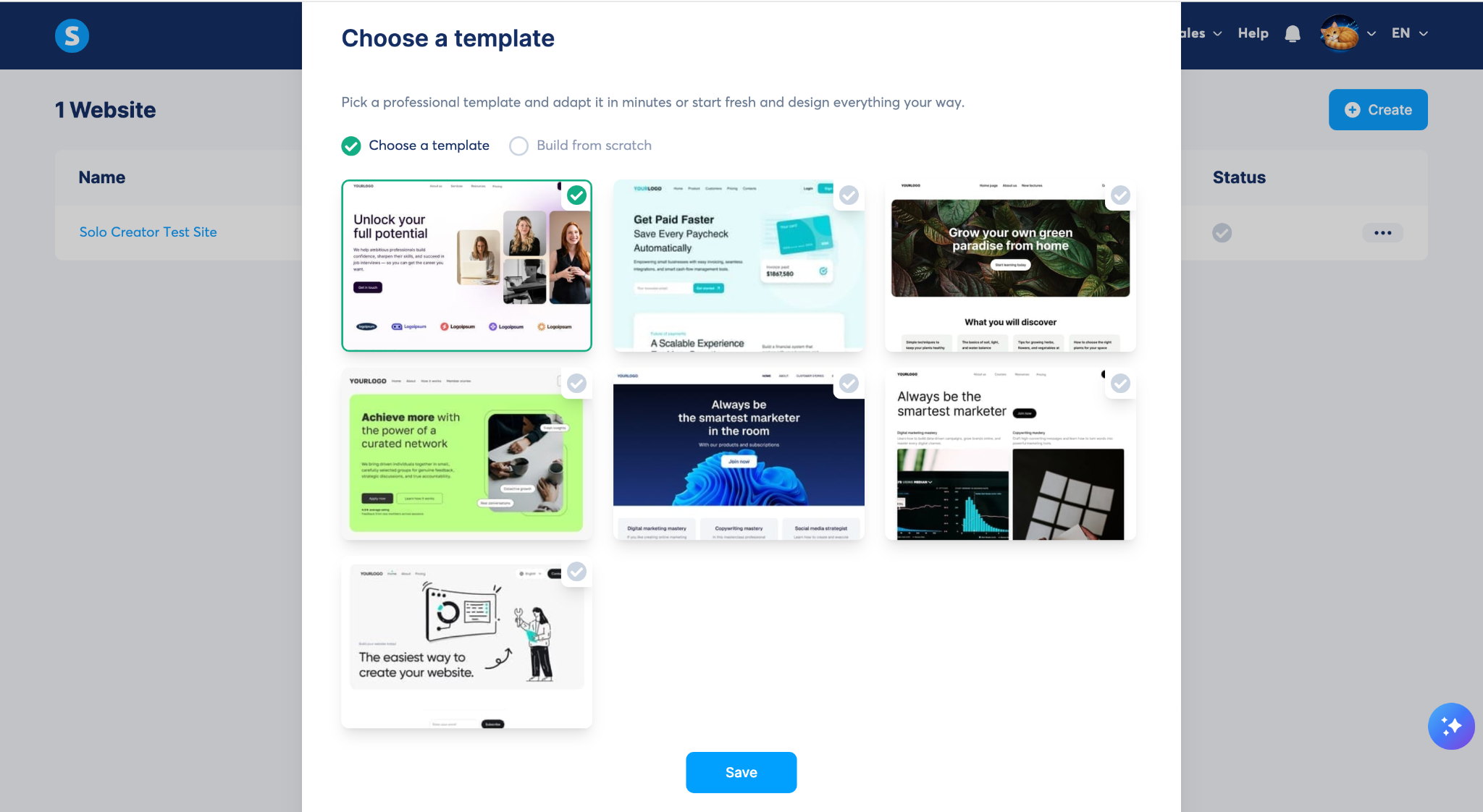
Insert: Systeme.io website/template selection screen.
Caption: I tested systeme.io using a free account and created a test website from one of its available templates.
Website Builder: Much Easier Than Starting From Scratch
One of the first features I tested was the website builder.
I created a test website and used a free systeme.io subdomain rather than connecting my main website domain.
After selecting a template, systeme.io created a basic site structure that included pages such as a homepage, About page, pricing page, legal pages, login page, contact page, and 404 page.
That gave me a usable starting point immediately.

Insert: Screenshot showing the template/site and page list.
Caption: The template I selected came with several common website pages already set up.
I then opened the visual editor.
For my test page, I changed the main headline to:
Build Your Creator Business
I changed the supporting text and changed the call-to-action button to:
Start for Free
I didn’t need to edit HTML or CSS to make these changes.
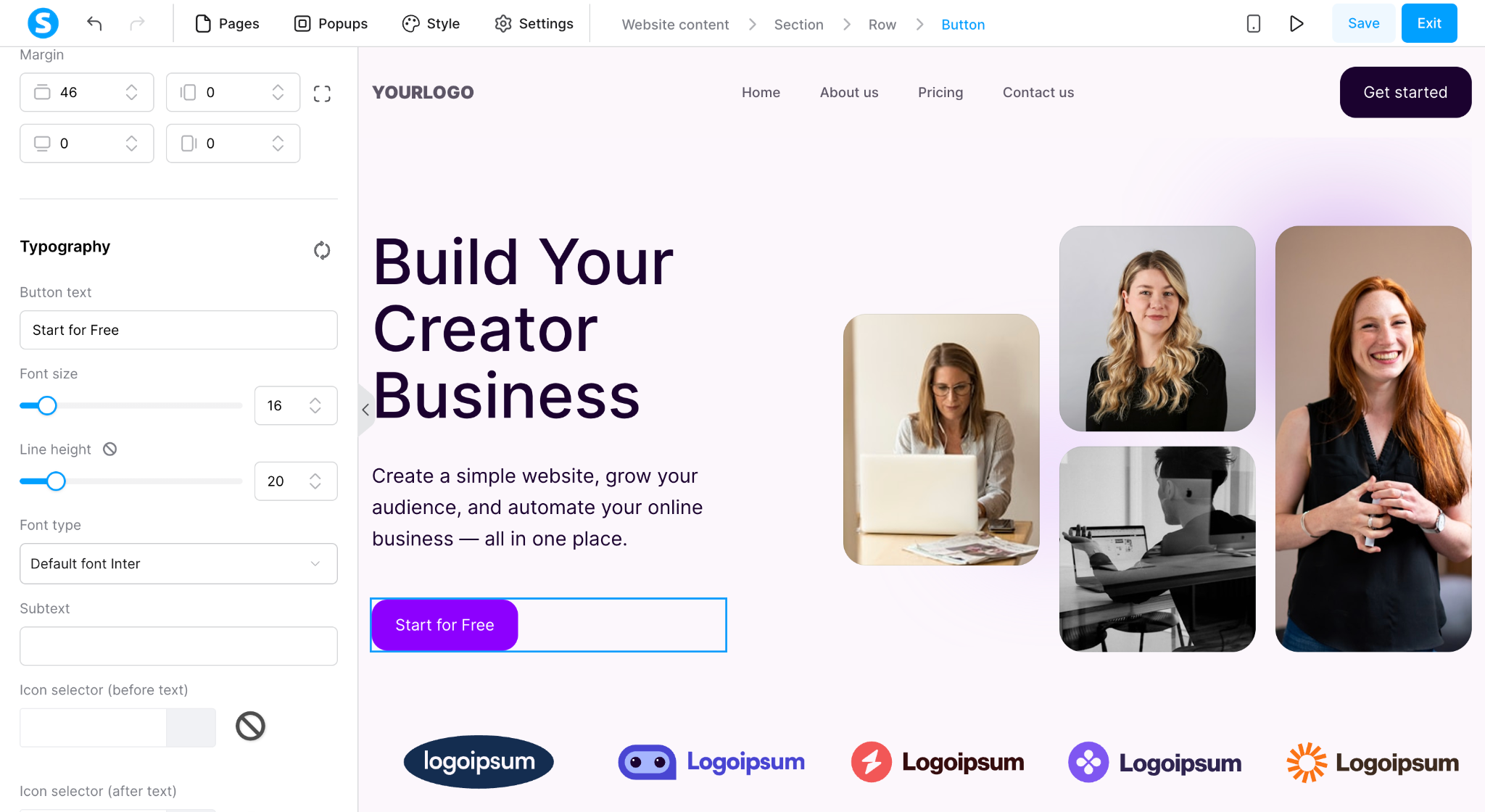
Insert: Your screenshot showing the edited “Build Your Creator Business” page.
Caption: Editing the headline, text, and CTA button was straightforward using the visual editor.
This is one of the areas where systeme.io makes sense for beginners.
If your primary goal is getting a landing page, creator website, or basic online business online quickly, you don’t necessarily need to start with WordPress, hosting, plugins, and a separate page builder.
Systeme.io’s official documentation describes its website builder as a drag-and-drop editor with templates, custom-domain support, multilingual pages, and built-in SEO settings.
Mobile Editing and Preview
I also tested the mobile preview.
With one click, I could switch from the desktop view to a smartphone-sized preview.
The template I tested automatically rearranged the content for the smaller screen. The navigation changed to a hamburger menu, while the headline, CTA, and images were repositioned for mobile.
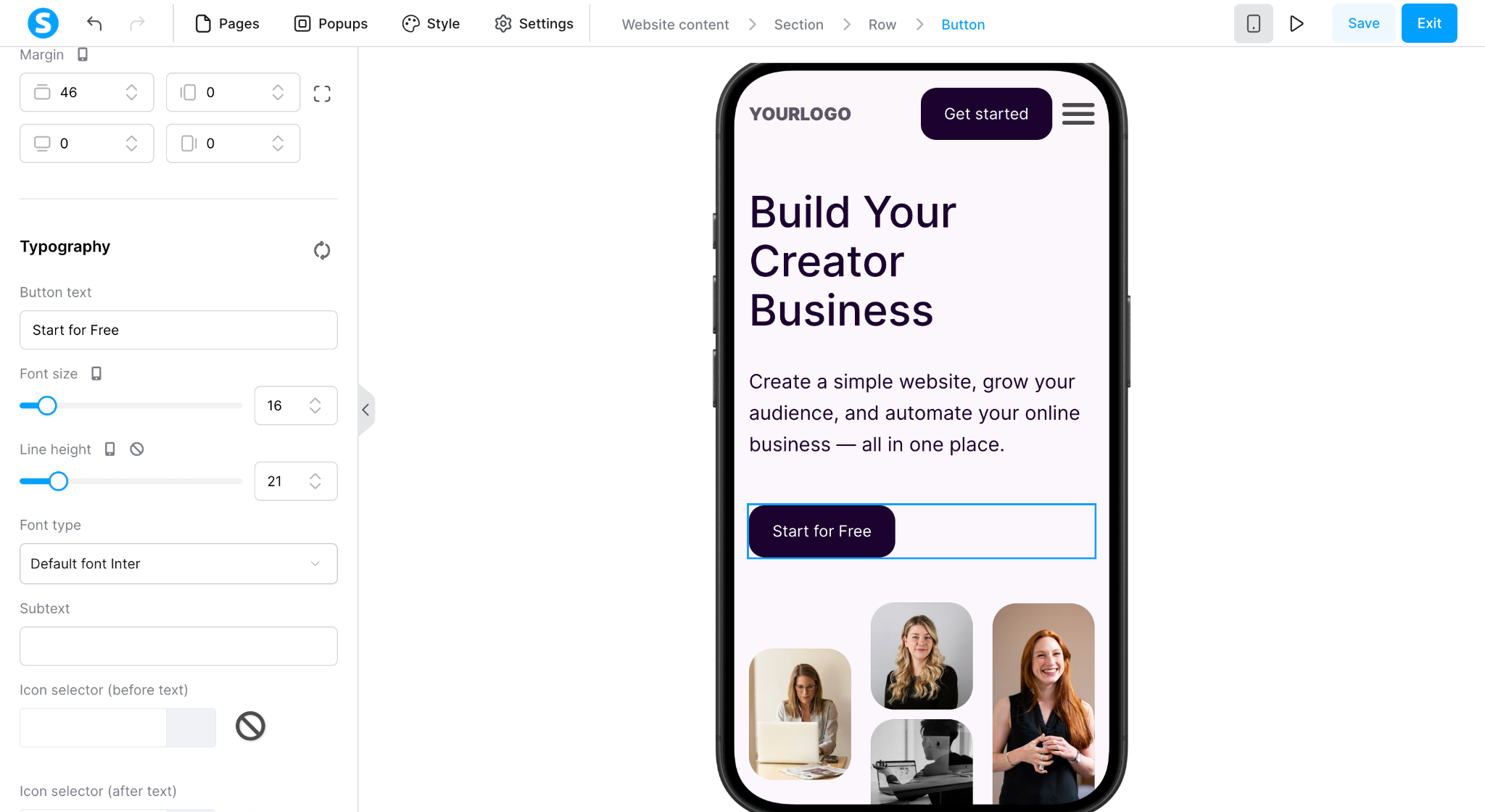
Insert: Mobile preview screenshot.
Caption: The template I tested automatically adapted to a mobile layout.
I didn’t need to manually rebuild the page for mobile during this test.
That’s particularly useful if you’re sending traffic from social platforms, where a large percentage of visitors are likely to arrive on phones.
Email Marketing: Powerful, but Setup Can Get More Technical
Systeme.io also includes email marketing.
The platform currently supports newsletters, campaigns, segmentation, tagging, and automated email sequences. Email sends are unlimited across its plans.
I decided to test Campaigns because automated email sequences are more interesting for an online business than simply sending a one-off newsletter.
This is where I encountered the first significant setup hurdle.
I wanted to use an email address from my own domain as the sender.
Systeme.io first required me to verify the email address.
I received a confirmation email, followed the verification link, and the sender address changed to:
Verified
But that wasn’t enough to actually use it as the campaign sender.
Systeme.io then showed this message:
“To send emails from this email address, you need to authenticate its domain.”
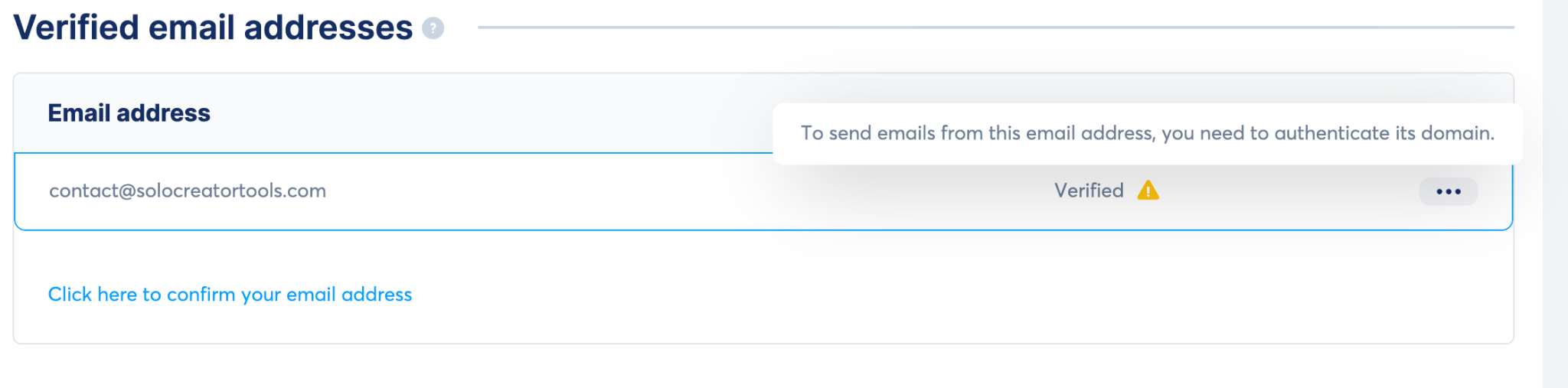
Insert: Screenshot showing Verified ⚠️ and the domain-authentication message.
Caption: Verifying my email address wasn’t enough — systeme.io also required domain authentication before I could use it as a campaign sender.
This was an important distinction that wasn’t obvious when I started the setup.
Systeme.io’s current documentation confirms that sender email verification and domain authentication are separate steps. Domain authentication requires adding DNS records through your domain provider.
For experienced website owners, that’s manageable.
For complete beginners who have never touched DNS settings, however, this is probably one of the more intimidating parts of the setup process.
I stopped my test at this point because I didn’t need to configure a production email system simply to evaluate the platform.
Marketing Automation
Although I didn’t deploy a live automation to an audience during this test, systeme.io includes built-in automation that connects its different features.
For example, an automation can use an event such as a form subscription, purchase, or tag being added as a trigger and then perform an action such as subscribing that contact to an email campaign.
This is where the all-in-one approach starts to become more valuable.
A typical creator stack might require:
Landing page → email provider → automation platform → course platform
With systeme.io, those components can live inside the same ecosystem.
That could reduce both subscription costs and the amount of integration work required.
Systeme.io Free Plan
The free plan is probably the biggest reason I’d recommend trying systeme.io before deciding whether to pay for it.
As of September 2026, the free plan includes:
| Feature | Free Plan |
|---|---|
| Contacts | 2,000 |
| Sales funnels | 3 |
| Email sends | Unlimited |
| Email campaigns | 1 |
| Blogs | 1 |
| Courses | 1 |
| Custom domains | 1 |
| Cost | $0 |
A credit card isn’t required to start. Systeme.io’s current pricing page also states that the free plan does not expire.
For someone starting from zero, that’s enough capacity to actually build something rather than simply clicking around a restricted trial.
No credit card required.
Systeme.io Pricing
At the time of writing, systeme.io offers four main plans:
Free → Startup → Webinar → Unlimited
The international pricing page currently lists Startup at $17/month, Webinar at $47/month, and Unlimited at $97/month.
The important difference isn’t simply gaining access to the core platform.
Paid plans primarily increase limits such as contacts, funnels, courses, automation rules, and other resources.
That means you can test the core workflow before deciding whether systeme.io deserves a place in your business.
Because SaaS pricing changes, I recommend checking the current pricing page before upgrading.
What I Liked About Systeme.io
The biggest advantage for me was how quickly I could go from creating an account to editing a real website.
The template gave me something usable immediately, and basic page editing didn’t require code.
I also like the economics of the free plan. A new creator doesn’t necessarily need to immediately pay separately for hosting, a funnel builder, email marketing software, and a course platform.
Having these tools connected inside one system also creates interesting possibilities once you start automating your business.
And importantly, this isn’t a 7-day trial that forces you to make a decision immediately. The free plan gives you enough room to experiment.
What I Didn’t Like
Systeme.io isn’t completely frictionless.
The biggest example from my testing was email setup.
Adding an email address was easy enough, but using a custom-domain email as a sender eventually led to domain authentication and DNS configuration.
That’s normal for modern email deliverability, but beginners may not expect it.
The platform also has a lot of functionality.
That’s an advantage once you understand the ecosystem, but the number of menus and settings can initially feel like more than you need if you’re simply trying to create one landing page.
Finally, an all-in-one platform always involves a trade-off.
If you already use specialized tools that you love for websites, email, automation, and courses, systeme.io may not give you enough reason to move everything.
Its value proposition is much stronger for people who are building their stack from scratch.
Who Is Systeme.io Best For?
Based on my testing, I’d consider systeme.io particularly attractive for solo creators, bloggers, affiliate marketers, course creators, digital-product sellers, and first-time online entrepreneurs.
It’s especially compelling if you’re currently at the stage where you’re thinking:
“I need a website, email list, funnel, and automation — but I don’t want four subscriptions.”
That’s exactly the problem systeme.io is designed to solve.
On the other hand, established businesses with sophisticated workflows may prefer dedicated tools for each part of their stack.
Is Systeme.io Good for Beginners?
I think so — with one caveat.
Creating the website itself was beginner-friendly in my test. Choosing a template and editing the page visually required very little technical knowledge.
The free plan also removes much of the financial risk from learning the platform.
However, some advanced setup tasks are still technical.
Custom email domain authentication is the clearest example I encountered.
So I would describe systeme.io as beginner-friendly for building and launching, but not completely free of technical configuration once you start setting up a more professional infrastructure.
Systeme.io Pros and Cons
| Pros | Cons |
|---|---|
| Generous free plan | Some advanced setup requires DNS knowledge |
| No credit card required to start | Large feature set can feel overwhelming initially |
| Website builder is easy to start with | Specialists may prefer dedicated tools |
| Built-in email marketing | Moving an existing complex stack may not be worthwhile |
| Marketing automation included | |
| Funnels, courses, and affiliate tools in one platform | |
| Unlimited email sends |
Final Verdict: Is Systeme.io Worth It?
Yes — particularly if you’re a solo creator starting from scratch.
What impressed me most wasn’t any single feature.
It was how much of an online-business stack I could start building from one free account.
I created a website, selected a template, edited the design, tested its mobile layout, explored email campaigns, and got as far as configuring a professional sender address without upgrading.
There are definitely more specialized tools available for each individual job.
But that’s not really the point of systeme.io.
Its strength is giving a solo creator one place to start.
If you already have a mature website, email platform, funnel builder, and automation system, switching may not make sense.
But if you’re starting a new online business and want to avoid paying for several tools before you’ve made your first dollar, systeme.io is worth testing.
Since the free plan doesn’t require a credit card, there’s very little downside to seeing whether the workflow fits you.
Start with the free plan — no credit card required.

コメント